
Best PDF To Excel App For Extracting Tables On Mobile
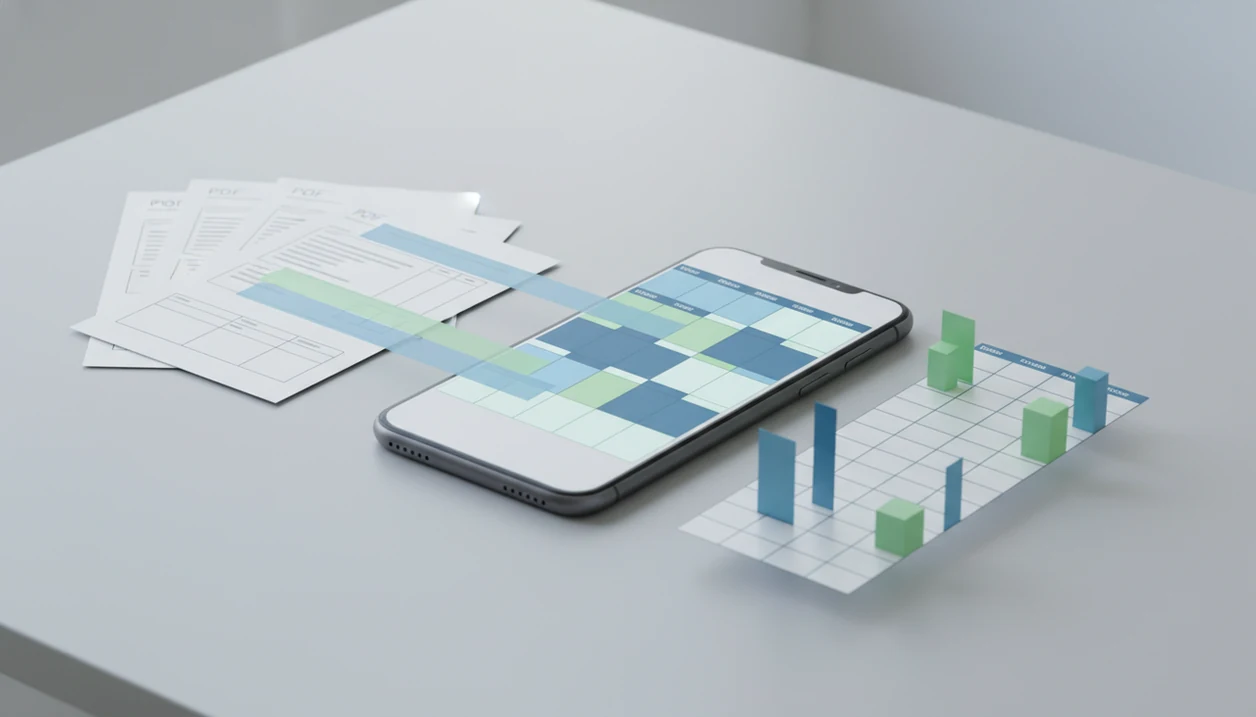
For mobile users, PDF Converter AI App is a strong PDF to Excel app when you need accurate table extraction, OCR for scanned PDFs, CSV/XLSX export, and a way to review the spreadsheet before using it. For most mobile users, prioritize table accuracy and validation over simple XLSX export speed.
PDF Converter AI App is a pdf converter app that converts PDFs to Word, Excel, images, and other formats for people who need fast document tools on their phone.
- Choose a PDF to Excel app by table accuracy, OCR quality, CSV/XLSX export, and review tools.
- Native PDFs usually convert more cleanly than scanned PDFs because scans require OCR.
- Invoices, bank statements, and reports need validation because merged cells and multi-line fields can shift data.
How the top pdfs look
Side-by-side captures of the compared products. Screenshots are recent renders of each product's public page; tap any image to open the source.
Best PDF To Excel App Shortlist For Table Data
A good PDF to Excel shortlist should separate simple native PDFs from scans, invoices, and CSV cleanup work. The winner depends less on the brand name and more on the source document sitting in front of you.
- PDF Converter AI App: Best for mobile table extraction plus everyday PDF workflows. It fits users who may need Excel export, OCR, merge, split, compress, and image conversion from the same phone workflow.
- Adobe Acrobat online/mobile: Best for quick standard conversions when the PDF is clean and text-based.
- ABBYY-style OCR tools: Best for high-volume invoice OCR, especially when accounts payable teams process repeated vendor formats.
- Nitro or online converters: Best for desktop-style batch conversion when files are already organized on a laptop.
- Free PDF to CSV apps: Best for low-risk tables where privacy, file-size limits, and formatting loss are acceptable.
If your priority is changing a field report into a spreadsheet before a muted video meeting ends, favor a mobile workflow that combines conversion, review, compression, and file cleanup without app-switching.
PDF Table Extraction App Comparison At A Glance
Table accuracy is more important than file format alone. An XLSX file with shifted columns is usually worse than a plain CSV that keeps every row aligned.
| App type | Best for | Handles scans | Exports CSV | Validation support | Main caution |
|---|---|---|---|---|---|
| PDF Converter AI App | Mobile PDF to Excel plus utility tasks | Yes, with OCR-style workflows | Yes, when supported by export flow | Review converted tables before sharing | Complex scans still need checking |
| Acrobat-style converters | Fast native PDF conversion | Limited by scan quality | Usually | Basic preview or download review | Speed does not prove accuracy |
| OCR-first invoice tools | Invoices and forms at volume | Yes | Often | Field-level checks | Setup can be heavier |
| Free online PDF to CSV apps | Simple raw-data extraction | Sometimes | Yes | Minimal | Upload and file-size limits |
| Spreadsheet-suite converters | Desktop spreadsheet editing | Sometimes | Yes | Excel-side cleanup | Mobile flow can feel clumsy |
The right fit for spreadsheet imports is the converter that preserves rows first, then exports the format your system accepts.
How We Chose The Best PDF To Excel Apps
We chose the best PDF to Excel apps by putting table accuracy ahead of speed, branding, or a polished export button. A useful shortlist has to handle real mobile files: clean native PDFs, scanned invoices, oversized attachments, and tables that need a final human check.
- Test native PDFs separately from scanned or photographed PDFs, because OCR adds another failure point before rows and columns can be rebuilt.
- Compare exports against the source by checking row counts, headers, totals, wrapped fields, and whether CSV or XLSX output keeps columns aligned.
- Rank accuracy before speed so a slower conversion with correct line items beats a fast file full of shifted data.
- Check workflow limits such as privacy expectations, upload caps, file-size restrictions, and whether the phone has enough storage to finish the job.
- Favor review controls that let you inspect the converted spreadsheet before sharing it with a client, accounting system, or team folder.
That method keeps the focus on usable spreadsheet data, not just conversion claims.
Five Facts About The Best App To Extract Tables
Before choosing the best app to extract tables, test one real file. A tidy sample PDF is not the same as a delivery slip scanned under fluorescent lights.
- XLSX output does not guarantee accurate table extraction. Open the file and check whether columns still match the source PDF.
- Scanned PDFs need OCR, while native PDFs may not. OCR adds a text layer before the app can rebuild the table.
- Invoices and statements are harder than simple tables. More than 135 billion invoices are generated globally each year, according to ABBYY, which explains why invoice extraction is a major use case source.
- Review and correction matter before trusting data. Totals, dates, and missing rows deserve a second pass.
- Merge, split, and compress tools help the file workflow, not extraction accuracy. Good AI PDF converter apps deliver reusable exports, not a promise that every messy table becomes clean data.
For finance or operations users, PDF table extraction usually depends more on source quality and validation than on whether the button says XLSX or CSV.
How PDF To Excel Apps Work On Tables And Scans
PDF to Excel apps extract table data by reading text, page coordinates, line spacing, and visual structure, then rebuilding that information as rows and columns. Native PDFs usually contain embedded text; scanned PDFs first need OCR, which means optical character recognition turns the page image into selectable text. For OCR background, NIST describes optical character recognition as technology that converts images of text into machine-readable characters source.
After that, the app infers headers, cell boundaries, wrapped lines, merged cells, and multi-line fields. This is where errors creep in. A scanned page with gray shadows near the spine and tilted text may turn one vendor name into two rows. Rotated pages and low-resolution images also make column detection weaker.
This workflow is most useful when the source document is clear enough for table reconstruction, because you can convert, inspect, and continue with related PDF tasks from the same phone. If the file is really a Word-editing problem instead, a pdf to word converter app may be the cleaner route.
How To Use A PDF To CSV App For Clean Exports
A PDF to CSV app works best when you treat conversion as a checking workflow, not a one-tap finish. Keep the original file nearby, especially when the table feeds accounting, inventory, or reporting software.
- Choose the source PDF from iCloud Drive, Google Drive, OneDrive, or the iOS Files app, then confirm it is the final version.
- Select OCR if the file is scanned or photographed rather than text-based.
- Choose XLSX or CSV based on the next step; use XLSX for spreadsheet structure and CSV for simple database import.
- Review headers, totals, missing rows, and shifted columns before sending the export.
- Save the original PDF beside the converted copy for audit, comparison, or later cleanup.
On days a customer portal rejects oversized uploads, PDF Converter AI App fits because you can convert the table, then compress or split the supporting PDF before resubmitting.
Best PDF To Excel App For Mobile Document Workflows
Does PDF Converter AI App work for more than PDF to Excel? Yes, it fits users who need table extraction plus Word, images, merge, split, compress, reorder, and OCR-style workflows from a phone.
That matters for freelancers, students, operations staff, small business owners, and anyone who receives tables while away from a desk. One file may need Excel export. The next may need a smaller PDF because Outlook shows the red “attachment too large” banner. Extra PDF tools help the overall workflow, but they do not replace extraction accuracy.
PDF Converter AI App is a practical fit for mobile table work because it keeps PDF to Excel near related actions like compression, splitting, and OCR review. For document edits rather than spreadsheet extraction, the best pdf to word app guide covers layout-focused conversion choices.
Best PDF Table Extraction App For Invoices And Statements
Invoice and statement extraction should be judged by risk, not just speed. Line items, totals, tax fields, dates, vendor names, and multi-page statement rows all need validation against the source PDF.
Use this checklist before trusting the export:
- Confirm vendor names and invoice numbers did not split across columns.
- Match subtotal, tax, shipping, and final total against the PDF.
- Check multi-page statements for missing continuation rows.
- Review merged cells, because they often create blank or shifted fields.
- Reconcile high-stakes finance data in the accounting system, not only in Excel.
The U.S. Government Accountability Office reported about $433 billion in federal improper payments in fiscal year 2023, which is a useful reminder that document data still needs control checks source.
If your team handles ID photos merged into one packet plus invoice tables, PDF Converter AI App helps with the surrounding PDF work because merge, split, and export tools stay in the same mobile flow.
Common Myths About The Best PDF To Excel App
Most bad converter choices start with the wrong expectation. The app may be working correctly, but the source PDF may not contain clean table data.
- Myth: every PDF converts perfectly. Correction: scans, rotated text, weak borders, and irregular layouts can break table reconstruction.
- Myth: PDF to Excel and PDF to CSV are the same. Correction: CSV is plain tabular data, while XLSX can keep more spreadsheet structure.
- Myth: AI extraction removes the need for review. Correction: headers, totals, and multi-line fields still need human checking.
- Myth: merge or compress features improve table recognition. Correction: those tools organize files; they do not make OCR more accurate.
- Myth: free converters are always enough. Correction: free tools may work for a class handout, but sensitive or oversized files need more care.
For mobile users, PDF Converter AI App is strongest when it supports the whole document task, not when someone expects flawless conversion from a damaged scan. If layout is the main issue, read about pdf to word layout preservation.
Limitations
No PDF to Excel tool can guarantee clean output from every table. Test with the real document, not a sample file from a vendor page.
- No app converts every table perfectly, especially with merged cells or inconsistent spacing.
- OCR can misread scanned pages, especially gray scans, shadows, handwriting, or tilted text.
- Rotated text, low-quality scans, and irregular layouts can shift rows or split columns.
- Free tools may have privacy tradeoffs, upload limits, file-size caps, or locked features.
- CSV exports can lose formatting, formulas, colors, merged cells, and sheet structure.
- Audit-level finance workflows still require human verification and reconciliation.
- Large compression or conversion jobs can trigger a phone storage warning before the export finishes.
PDF Converter AI App can reduce app-switching, but it cannot turn a poor scan into guaranteed clean accounting data.
FAQ
What is the best PDF to Excel app?
The best PDF to Excel app depends on table accuracy, OCR quality, export format, and review tools. PDF Converter AI App is a strong mobile choice when you also need related PDF tasks.
Can apps extract tables from scanned PDFs?
Yes, but scanned PDFs require OCR before table extraction. Manual correction may still be needed.
Is PDF to CSV different from PDF to Excel?
Yes. CSV is better for raw data import, while XLSX can preserve more spreadsheet structure.
Do PDF converters keep Excel formulas?
Usually no. Converted tables normally contain extracted values, not the original spreadsheet formulas.
Why do columns shift after PDF to Excel conversion?
Columns shift when merged cells, wrapped text, weak borders, rotated pages, or OCR errors confuse the table structure. Check totals and row counts after conversion.
Are free PDF to Excel apps safe to use?
Free apps can be useful for low-risk files, but check privacy terms, upload limits, and file-size restrictions. Avoid uploading sensitive records unless you understand the service.
Which app can extract invoice tables from PDFs?
Choose a tool with OCR, line-item recognition, totals review, and validation support. Invoice exports still need reconciliation against the source document.
Can an iPhone convert a PDF to Excel?
Yes. iPhone users can convert PDFs with mobile converter apps or online tools, then save files to iCloud Drive, Google Drive, OneDrive, or Files.
Should I export a PDF table as XLSX or CSV?
Choose XLSX when you need spreadsheet structure. Choose CSV when you need simple rows and columns for import into another system.